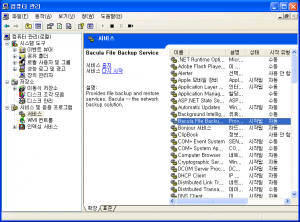
opensource backup 솔루션인 Bacula 설치와 사용하기. 설치환경 백업서버 IP: 59.29.142.85 Hostname: fox1 OS: Ubuntu 12.04 백업 클라이언트(백업대상 서버) IP: 59.29.142.120 Hostname: ubuntu-1 OS: ubuntu 12.04

4월 16
opensource backup 솔루션인 Bacula 설치와 사용하기. 설치환경 백업서버 IP: 59.29.142.85 Hostname: fox1 OS: Ubuntu 12.04 백업 클라이언트(백업대상 서버) IP: 59.29.142.120 Hostname: ubuntu-1 OS: ubuntu 12.04
10월 07
구성: Basic Installation 문서의 구성을 따랐음. OS: Ubuntu 13.04 Cloud Controller Node: 59.29.142.9, 192.168.100.1 Network Controller Node: 59.29.142.88, 192.168.100.2 Compute Node: 59.29.142.86, 192.168.100.3 각 Node 공통사항 /etc/hosts 59.29.142.86 fox2 59.29.142.88 fox4 59.29.142.9 tech 192.168.100.1 cloud 192.168.100.2 network 192.168.100.3 compute1
10월 07
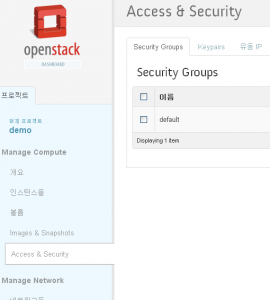
아래 문서를 참고하여 세대의 물리적인 서버에 오픈스택을 설치(Basic Installation)하였으나, 여러가지 문제가 발생했다. 결과적으로 아래 내용은 정리가 되지 않은 내용이므로 설치과정 참고용이다. 결과로 나온 문제 해결(http://blog.boxcorea.com/wp/archives/948)과 최종 설정화일(http://blog.boxcorea.com/wp/archives/972)은 따로 정리했다. 참고문서: http://docs.openstack.org/grizzly/openstack-compute/install/apt/content/ http://docs.openstack.org/grizzly/basic-install/apt/content/ 1. 오픈스택은… 오픈스택은 크고작은 퍼블릭/프라이빗 클라우드를 위한 확장가능하고 유연한 클라우드 컴퓨팅을 제공하기위한 목적으로 만들어졌다.
9월 16
오픈스택 설치할 때 발생했던 오류들과 해결 방법을 정리 1. 접속시 “Unable to retrieve quota information.” volumes 클릭하면 에러 나는 경우 cinder 설정 확인 /etc/tgt/conf.d/cinder.conf 가 있는지 확인
9월 02
openstack 학습(?)중 과금 관련된 모듈 프로젝트가 있음을 알게 되었다. 이름은 ceilometer. 이프로젝트 목적이 monitoring 과 metering 이라고 한다. 참고: https://wiki.openstack.org/wiki/Ceilometer cloudstack에도 hostbill이라는 모듈이 있다. 참고: http://hostbillapp.com/features/apps/cloudstack.html
6월 15
설치환경 OS: CentOS 6.4 설치전 selinux 를 사용하지 않도록 변경한 후 서버를 재부팅한다. # vi /etc/selinux/config SELINUX=disabled 1. bridge 인터페이스를 만든다. /etc/sysconfig/network-scripts/ifcfg-br0 생성하고, 같은 디렉토리의 ifcfg-eth0를 수정. # cat ifcfg-br0 DEVICE=br0 TYPE=Bridge ONBOOT=yes NM_CONTROLLED=yes BOOTPROTO=none IPADDR=59.29.142.121 NETMASK=255.255.255.0 NAME=”System br0″ DEFROUTE=yes # cat ifcfg-eth0 DEVICE=eth0 HWADDR=00:0A:E4:82:A5:DE TYPE=Ethernet UUID=a050e280-9ad9-48cd-b234-7cf33b0eea48 ONBOOT=yes NM_CONTROLLED=yes #BOOTPROTO=static #IPADDR=59.29.142.121 #NETMASK=255.255.255.0 NAME=”system eth0″ BRIDGE=br0
6월 15 2013
virt-manager 류의 프로그램을 사용해야하는데, x11 포워딩이 안되는경우 보통 로그인할때 아래 메시지가 나온다. WARNING! The remote SSH server rejected X11 forwarding request. /etc/ssh/sshd_conf 파일에서 forwarding 부분이 이상이 없다면, xauth 패키지를 설치해 본다. 이 경우는 CentOS6.4 # yum install xauth 아래는 /var/lib/dbus/에 machine-id 파일이 없어서 생기는 virt-manager가 실행되지 않는 문제. # virt-manager Xlib: extension “RANDR” missing on …
6월 07
참고문서: http://www.fis.unipr.it/pub/linux/redhat/9/en/doc/RH-DOCS/rhl-cg-ko-9/s1-secureserver-certs.html 1. private key 생성. # openssl genrsa -des3 -out server.key 1024 Generating RSA private key, 1024 bit long modulus ……….++++++ ………………………….++++++ e is 65537 (0x10001) Enter pass phrase for server.key: Verifying – Enter pass phrase for server.key:
2월 13
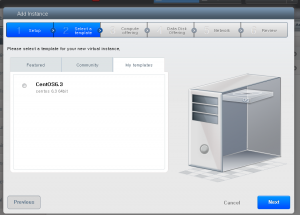
참고문서: http://incubator.apache.org/cloudstack/docs/en-US/Apache_CloudStack/4.0.0-incubating/html/Admin_Guide/index.html 1.OS 이미지 준비. 기존에 사용하던 Cent6.3 KVM 이미지를 template로 만들어 등록하고자 한다. 기존 이미지는 RAW 포맷인데, 이것을 QCOW2 포맷으로 변환한다. raw 이미지를 qcow2 이미지로 변환하는것은 아래와 같다.